International shipping
International shipping settings
International DHL Paket label
After entering all required information, you can create an international shipping label.
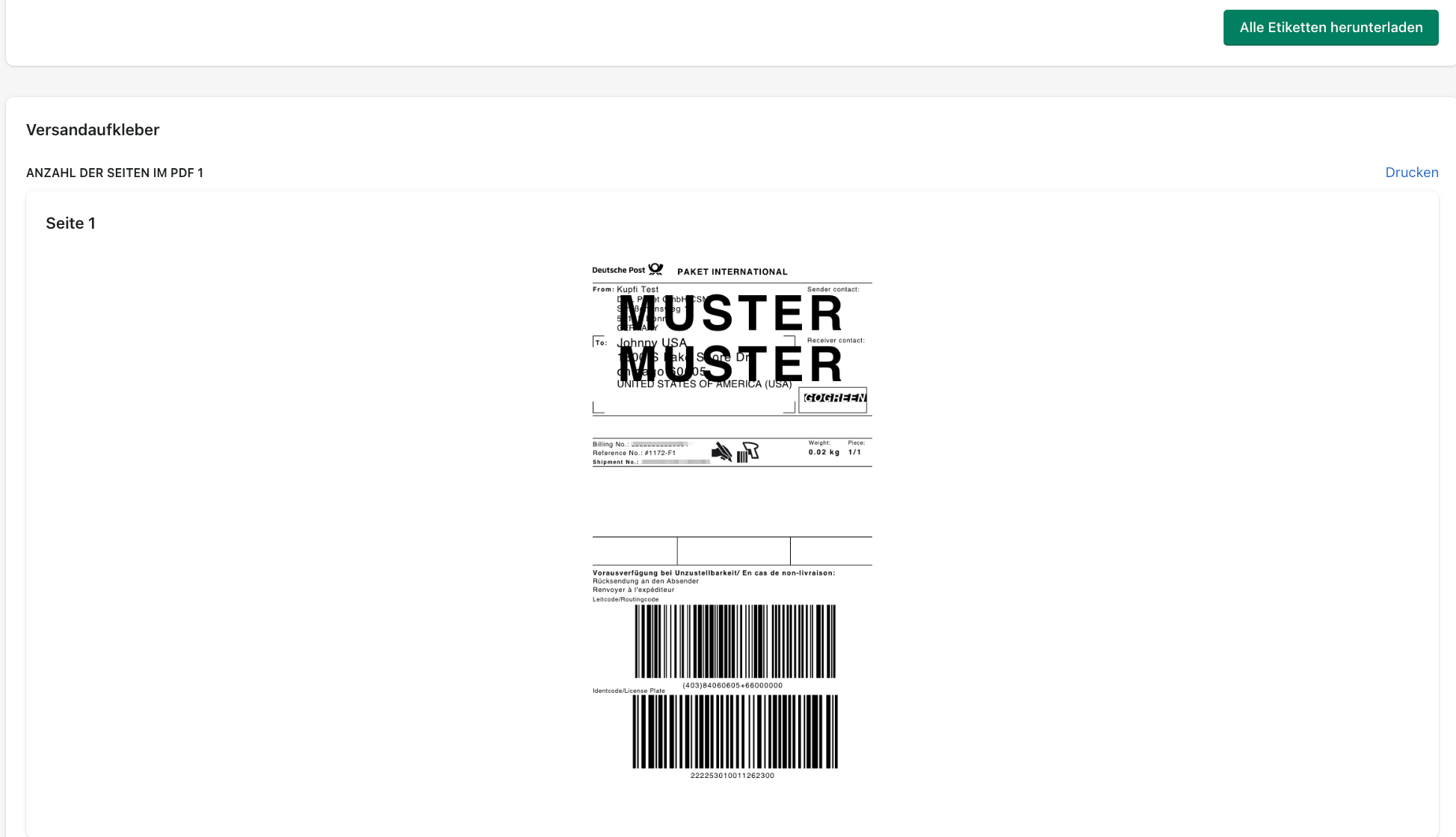
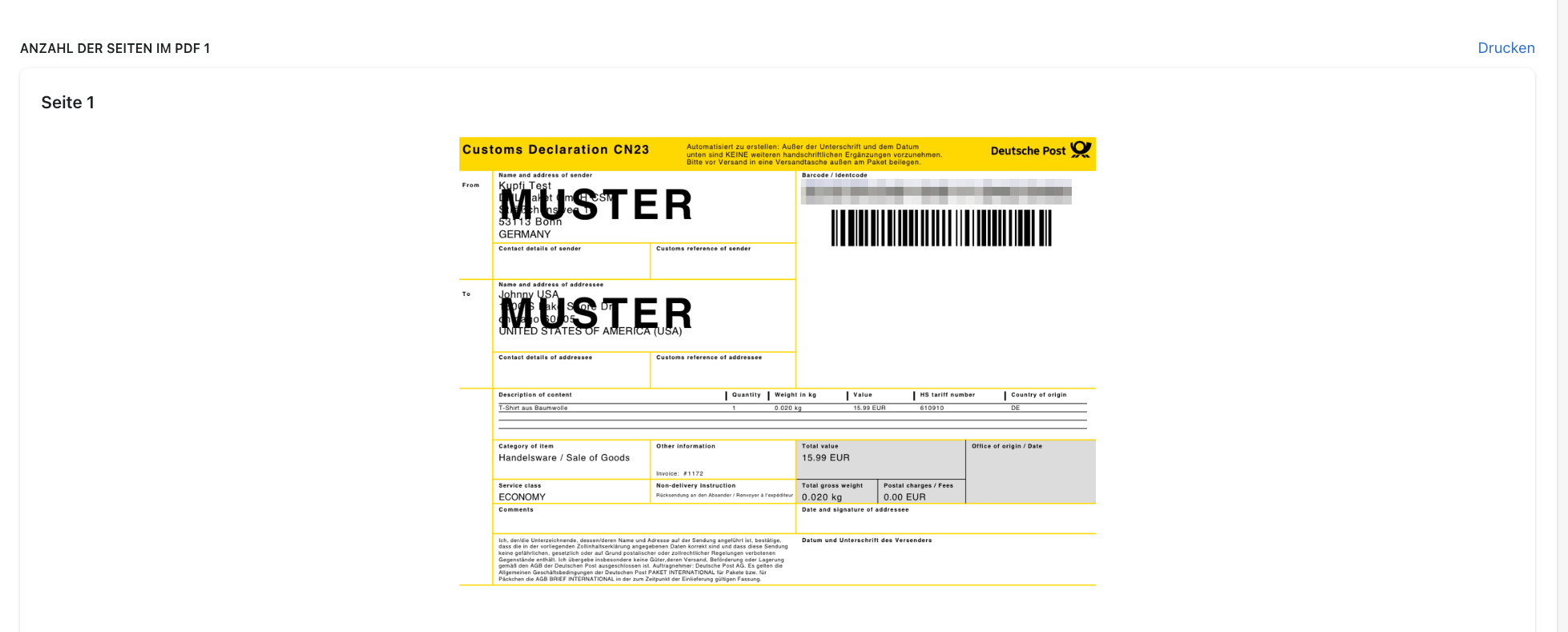
You can download both documents together with one click.

You can also download the shipping label and customs document separately.

International Warenpost label
After entering all required information, you can create an international shipping label.
Warenpost International can only be used for shipments weighing up to 1 kg.
When creating the label, Warenpost International is displayed if the shipment weighs less than 1 kg. Premium is the only additional service available for international Warenpost.
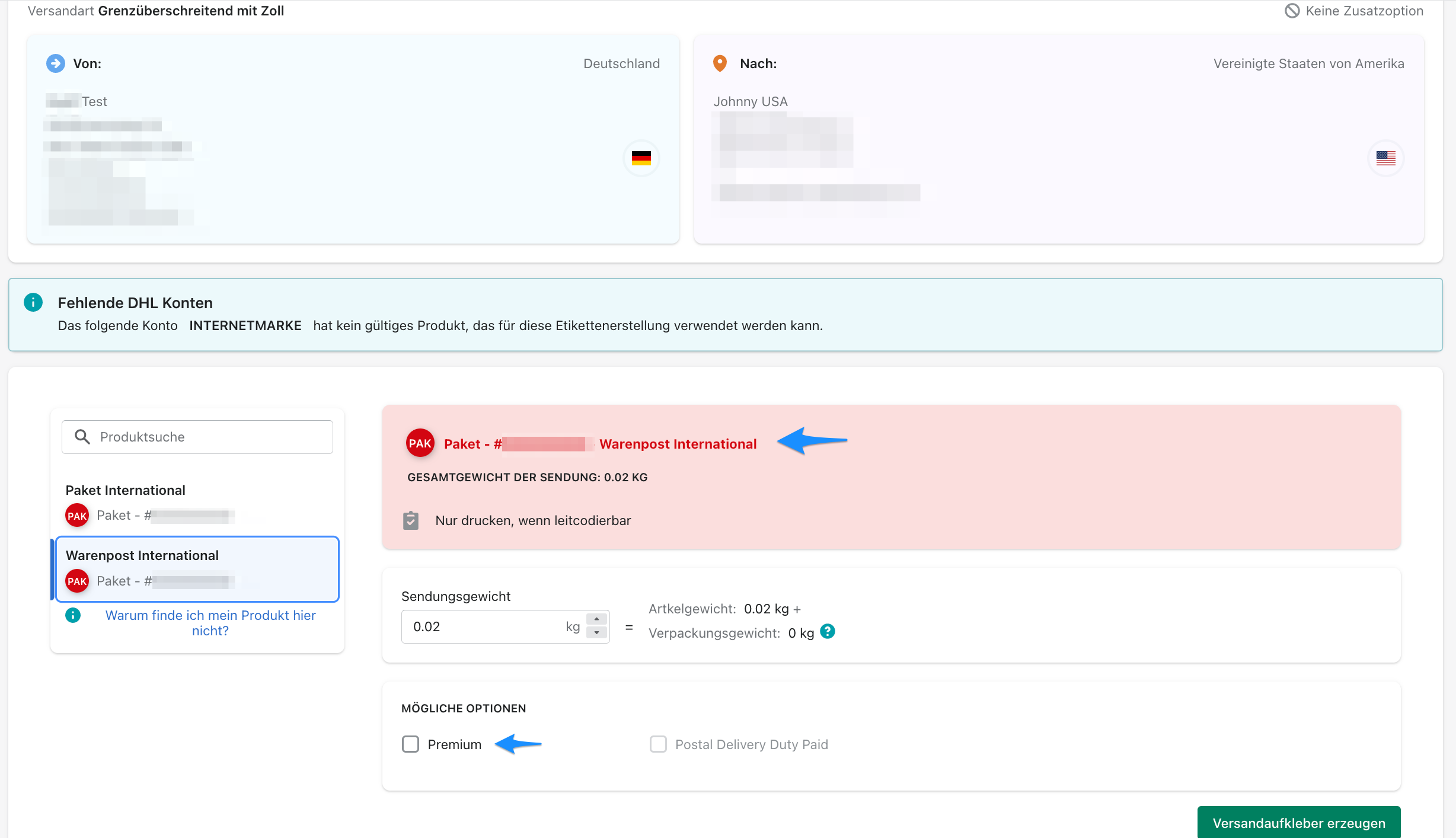
After selecting Create shipping label, the international Warenpost label and the CN22 documents are created.
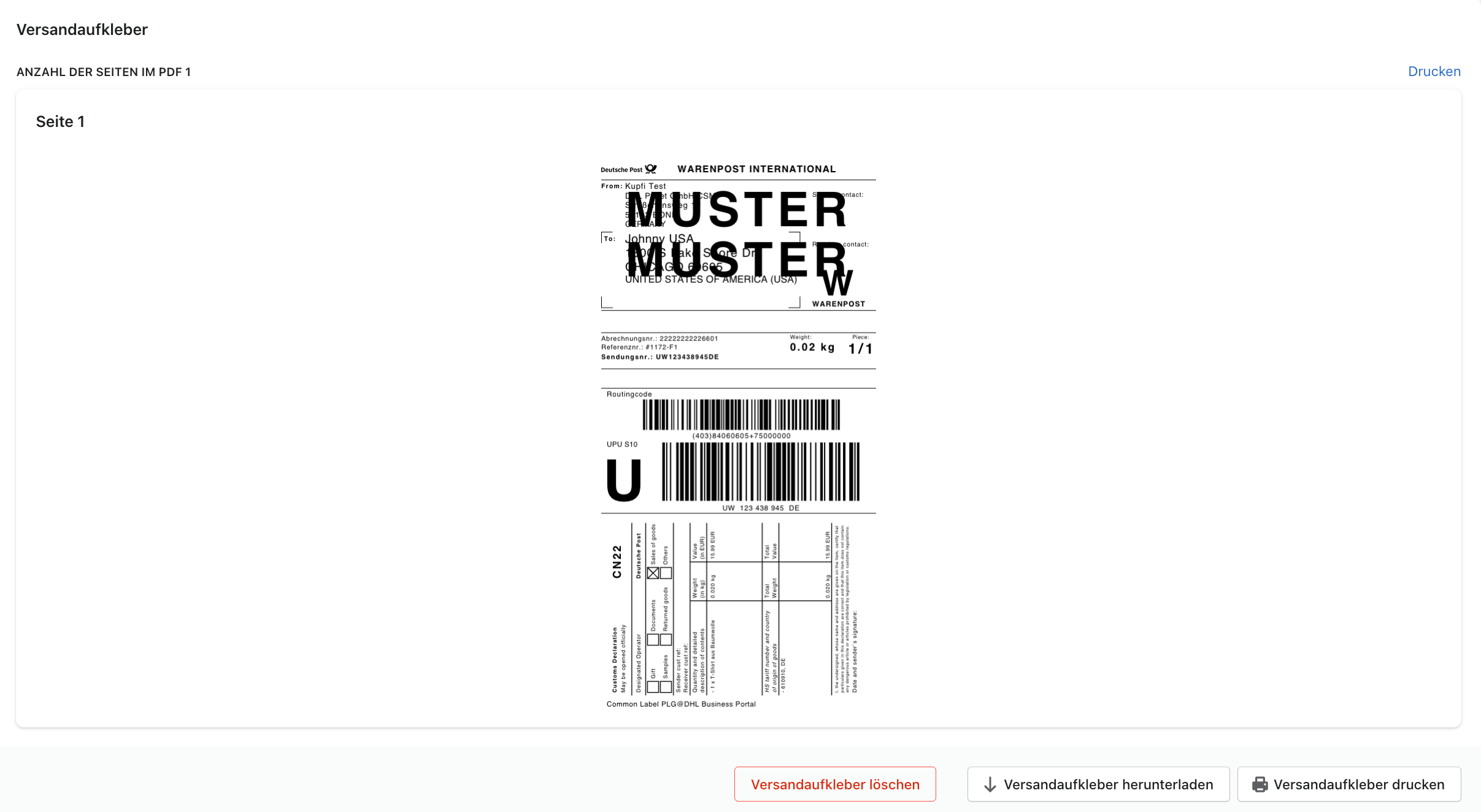
Bulk process
In the bulk process, you can download the shipping labels individually by order or download all of them together.

International Internetmarke label
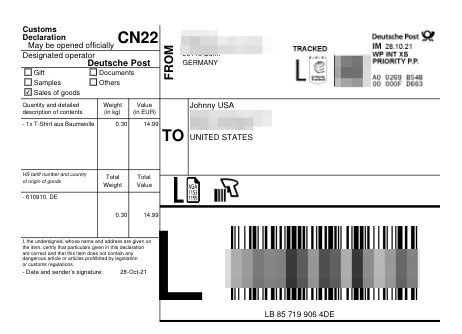
After entering all required information, you can create an international shipping label. The following example shows a shipping label with the CN22 customs document included:
Possible error message

This information box indicates that an international shipment requires a customs description for the customs documents.
The corresponding error message looks like this:

As described in the information box, the error indicates that product weights and descriptions are missing. It also indicates that products for international shipping must use a customs tariff class between 1 and 33.